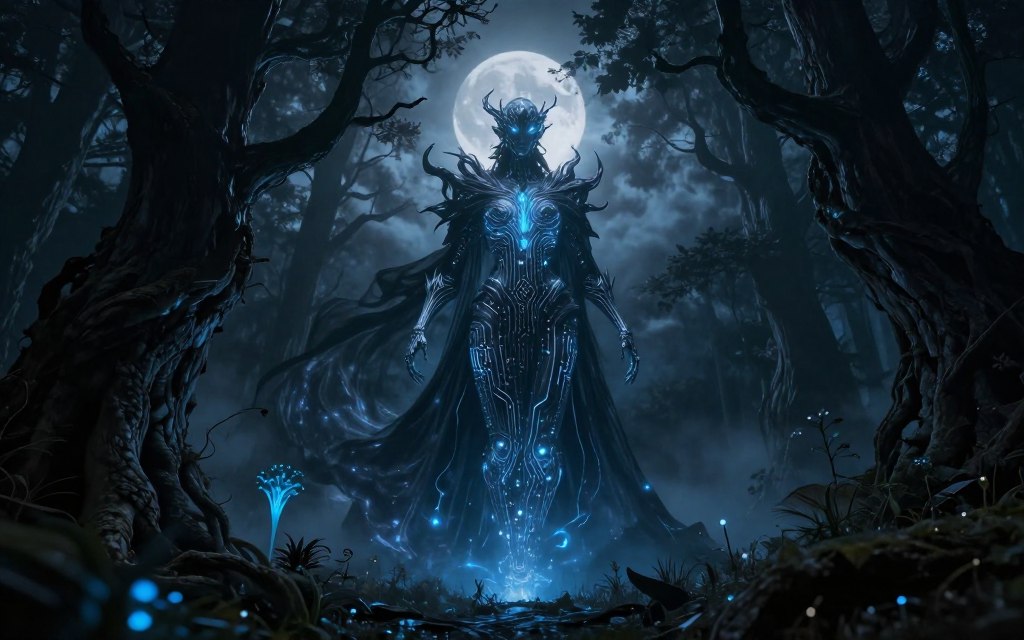

Do you want to learn how to make dark fantasy AI art with supernatural themes and eerie settings? This genre creates emotional tension and intrigue through dark fantasy digital art. Yet compelling images need more than dramatic keywords in an image generator.
This article explains the genre’s essential foundations. You’ll learn about leading tools, hardware needs, and effective workflow planning. You’ll also study AI art prompts, lighting, color, and style consistency in your work.
You’ll find practical prompts adaptable to various AI tools, including Midjourney, Stable Diffusion, and DALL-E 3. Distinctive pieces require iteration, editing, and a keen artistic eye. Together, these steps support creative dark fantasy AI art.
Key Takeaways
- Dark fantasy blends supernatural themes with ominous settings.
- Effective prompts are crucial for generating compelling images.
- Mastering lighting and color enhances the overall aesthetic.
- Consistency in style is key to professional-looking art.
- Iteration and editing are essential for unique results.
Understanding Dark Fantasy AI Art
The dark fantasy genre blends magic, mythical creatures, and imaginary worlds with horror, tragedy, and moral uncertainty. This mix creates stories filled with decay, isolation, and psychological unease, while images express the genre without familiar clichés. In dark fantasy artwork, artists show ruined castles, cursed forests, skeletal architecture, haunted landscapes, and armored figures.
AI has transformed the creative process in modern dark fantasy art. It supports rapid ideation and image generation while helping artists explore compositions, costumes, environments, and lighting variations. However, artists still direct the narrative, visual hierarchy, mood, and final artwork selection.
As AI-generated fantasy art becomes more common, creators must address ethical concerns. Artists should practice ethical AI art by following these key points:
- Check Tool-Specific Terms: Understand the terms of service for any AI tools you use.
- Avoid Direct Imitation: Do not replicate the work of living artists or copyrighted characters.
- Disclose AI Assistance: Be transparent about the use of AI in your creative process when appropriate.
- Human Editing: Add meaningful human touch and edits to your AI-generated pieces.
These practices help artists responsibly navigate the exciting world of AI in dark fantasy art. For more insights on integrating AI into your creative process, check out this step-by-step guide.
Essential Tools for Creating Dark Fantasy AI Art
The right tools can improve your dark fantasy AI art experience. Today, AI image generators and digital art software offer many special features. Learning their strengths helps you create strong results.
Top AI Image Generators
Midjourney
Midjourney creates atmospheric, painterly, and cinematic concept art. It captures the mood of dark fantasy well. For Midjourney dark fantasy work, learn its current interface and parameter options.
Stable Diffusion
Stable Diffusion suits creators who want extensive project control. It supports checkpoints, LoRAs, and ControlNet for inpainting and outpainting. Its learning curve is steeper, but capable-hardware users can manage workflows locally.
DALL-E 3
DALL-E 3 offers an accessible choice for users who value ease of use. Well-planned DALL-E 3 prompts use natural language for rapid concept development. This makes it useful for beginners and quick idea generation.
Supporting Software for Editing and Refinement
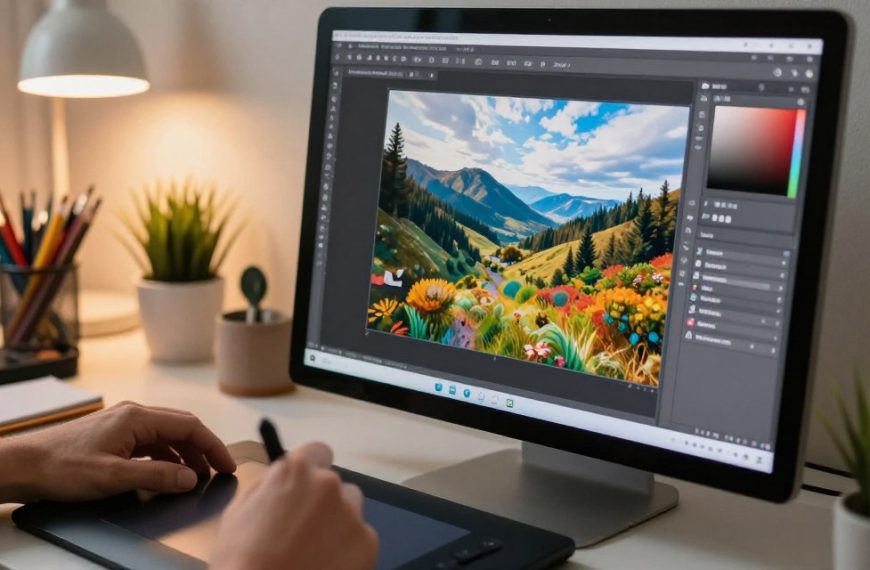
Use supporting software such as Adobe Photoshop, Adobe Lightroom, Affinity Photo, Krita, and Procreate. These tools help with masking, compositing, painting, and color correction.
Combining an AI image generator with manual refinement often gives the best results. Treat the first output as a starting point, not the final image. Use editing software to bring your vision to life.
Setting Up Your Workspace and Workflow
A focused workspace helps unleash creativity in dark fantasy AI art and supports a smoother creative workflow. Consider these key areas.
Choosing the Right Hardware
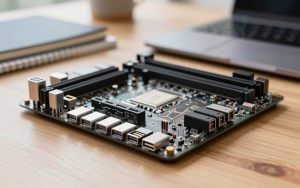
For hardware for AI art, your setup matters. Cloud platforms work on standard computers, but local tools like Stable Diffusion need stronger systems. Your computer should have:
- A modern processor to handle complex tasks.
- Sufficient system memory (RAM) for multitasking.
- Fast storage solutions like SSDs for quick file access.
- A compatible graphics card with ample video memory for your intended models and image sizes.
If you plan to print or publish your polished work, prioritize a calibrated display for accurate colors.
Organizing Your Reference Library
Organizing your reference library can strengthen your creative workflow. A clear library can inspire new ideas. Group fantasy art references into:
- Architecture
- Medieval clothing
- Anatomy
- Creatures
- Weapons
- Landscapes
- Lighting
- Textures
- Color palettes
Use these references for structure and visual research, not direct copying.
Establishing a Creative Routine
A repeatable creative workflow can improve productivity. Follow these steps:
- Concept notes
- Reference gathering
- Prompt drafting
- Image generation
- Selection of best outputs
- Editing and refinement
- Exporting your work
- File backup
Use a naming system with the date, model, prompt version, seed, aspect ratio, and major edits. This AI art workflow helps reproduce successful results and build a consistent body of work.
Crafting Effective Dark Fantasy Prompts
Creating strong dark fantasy prompts takes imagination and precision. A clear prompt guides the AI and helps create art that matches your creative vision. Knowing each key element supports effective AI prompt writing.
Core Elements of a Dark Fantasy Prompt
Begin with the main subject and action. For example, start with “an exiled knight standing beside a ruined cathedral.” Then add details, including the knight’s rain-soaked black armor and the cathedral’s thorn-covered stone. Also consider composition, time of day, lighting, and color palette.
Using Descriptive Language and Mood Words
Descriptive language and mood words can make fantasy image prompts stronger. Words like ominous, mournful, and foreboding create the atmosphere you want. Balance these words with clear visual details to prevent vague results. Instead of saying “dark,” describe “cold blue shadows” or “distant lightning.”
Negative Prompts for Cleaner Results
Negative prompts help refine AI-generated images. List unwanted elements, such as extra fingers, distorted faces, or low-detail backgrounds. This guidance can produce cleaner results. Because negative prompts behave differently across platforms, test them gradually. Avoid a very long list and focus on the key issues.
| Element | Description | Example |
|---|---|---|
| Main Subject | The primary focus of your prompt | Exiled knight |
| Action | What the subject is doing | Standing beside |
| Environment | Setting or background details | Ruined cathedral |
| Mood Words | Emotional tone conveyed | Ominous, foreboding |
Use prompt versioning and controlled changes to find wording that improves results. These guidelines help you create dark fantasy prompts that inspire and guide AI art.
How to Make Dark Fantasy AI Art: Step-by-Step Process
Creating dark fantasy AI art takes a clear, careful process. This guide shows how to create AI fantasy art through focused steps.
Step 1: Define Your Concept and Mood
Start by identifying your artwork’s core elements. Consider the subject, narrative moment, setting, emotional goal, and intended audience. For example, “a grieving sorcerer returning to a drowned kingdom” gives clear direction and supports a compelling piece.
Step 2: Build Your Initial Prompt
Transform your concept into a structured prompt. Include details such as:
- Subject: What is the main focus of your art?
- Action: What is happening in the scene?
- Environment: Where is the setting?
- Composition: How will the elements be arranged?
- Lighting: What mood do you want to convey?
- Palette: What colors will dominate the piece?
- Style direction: What artistic influences will you draw from?
- Technical preferences: Any specific settings or tools?
Step 3: Generate and Iterate
Generate several variations of your art. Evaluate each one for storytelling, silhouette, anatomy, focal point, and atmosphere.
Do not choose only the sharpest image; change one variable, such as camera angle, weather, or costume. This AI art generation process makes each iteration more informative. Track settings like seed, model, aspect ratio, and guidance parameters when available.
Step 4: Refine and Upscale
In this final step, use inpainting to fix inconsistencies in faces, hands, props, and backgrounds. Then upscale AI art carefully, checking the larger image for repeated textures or invented details. Finish with a manual edit, color pass, and export in an appropriate format.
This process requires creative art direction, not just a one-click solution.
For more resources on how to create AI fantasy art, explore this dark fantasy art tutorial.
Advanced Prompt Techniques for Darker Atmospheres
Advanced AI prompts help creators fill dark fantasy art with powerful symbols and mood. These methods improve visual appeal and deepen each artwork’s story.
Incorporating Symbolic Imagery
Symbolic fantasy imagery helps show themes and emotions in dark fantasy art. A cracked crown can show fallen authority, while ravens may signal ominous omens. A dying candle can represent fragile hope, and a root-wrapped doorway may show entrapment.
Connect each symbol to the character’s conflict instead of adding decoration. This creates a more cohesive and meaningful composition.
Using Artistic Style References
Artistic style references and AI art style prompts can guide your work’s visual direction. Instead of copying one artist’s style, use broad terms such as oil painting, gothic engraving, or dark romanticism. These terms create a framework for creative interpretation while preserving a clear artistic vision.
Combining Multiple Concepts
Combining concepts can produce intriguing prompt results. For example, an abandoned observatory in a fungal forest during a ritualistic astronomical event can create a striking scene. Keep a clear focal subject: list the main subject first, then its setting, symbols, and style.
| Technique | Description | Example |
|---|---|---|
| Symbolic Imagery | Using objects to convey deeper meanings | Cracked crown for fallen authority |
| Artistic Style References | Guiding visual direction with broad descriptors | Dark romanticism or oil painting |
| Combining Concepts | Merging ideas for unique scenes | Fungal forest with an observatory |
Advanced AI prompts help artists create dark atmospheric art that resonates with viewers. By combining symbolic imagery, artistic styles, and concepts, artists can make engaging, cohesive works. For further inspiration, check out these creative prompts.
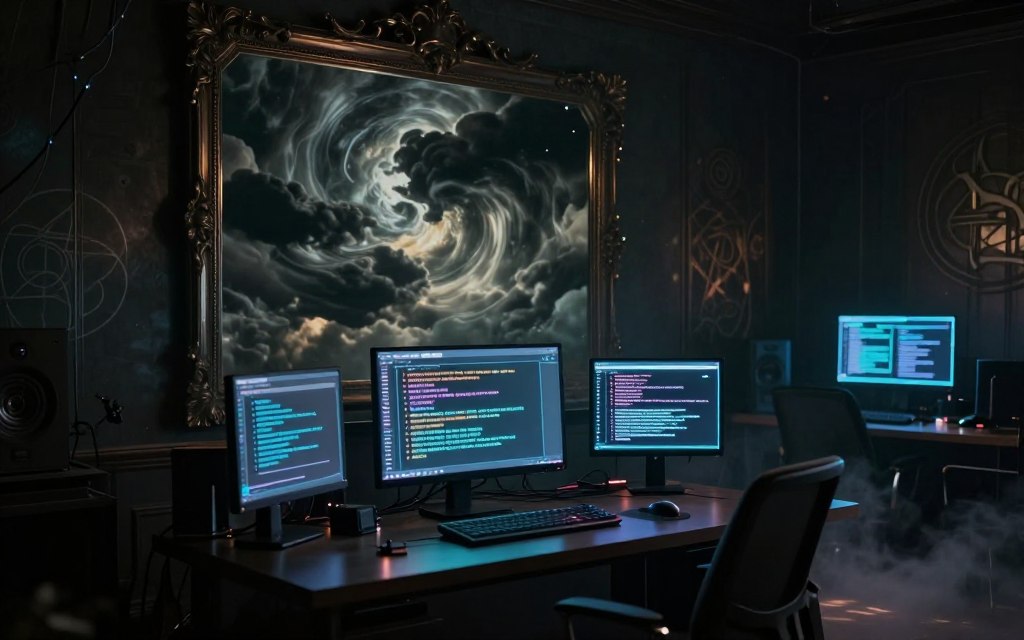
Mastering Lighting and Color in Dark Fantasy Scenes
In dark fantasy art, careful light can stir fear, wonder, mystery, tragedy, or awe. Dark fantasy lighting shapes each scene’s emotional impact and strengthens storytelling.
Chiaroscuro uses strong contrast between light and shadow. This chiaroscuro AI art technique highlights focal points and guides the viewer’s eye. Moonlight through branches and torchlight on wet stone create depth and intrigue.
A gothic color palette uses charcoal, midnight blue, desaturated green, bruised purple, oxidized red, bone white, and restrained gold. These colors set the mood, while selective accents support the story and draw attention to key elements. Darkness does not require removing all color.
Adding atmospheric effects such as mist, rain, and smoke creates depth. These details separate the foreground, middle ground, and background in atmospheric fantasy scenes. They also keep each scene clear and engaging.
Mastering light and color requires intentional choices. Use mood, contrast, and color temperature to strengthen your storytelling. Do not simply add the word “dark” to your prompts.
Post-Processing and Refining Your AI Art
Transforming AI art through AI art post-processing creates a captivating final piece. This stage improves your artwork and helps it connect with your audience. Use several tools to refine each creation.
Editing in Adobe Photoshop
Adobe Photoshop is a powerful tool for Photoshop AI art editing. Here are some essential techniques:
- Layers and Masks: Use layers to separate different elements of your artwork. Masks allow for non-destructive editing, letting you make changes without losing the original image.
- Adjustment Layers: These layers enable you to modify color, brightness, and contrast while preserving the integrity of your base image.
- Clone Stamp and Healing Brush: Repair anatomy or remove unwanted objects with these tools, ensuring a clean final image.
- Selective Sharpening: Enhance specific areas of your artwork to draw attention to focal points.
- Manual Painting: Use brushes to add details or corrections, refining your image further.
Using Topaz Gigapixel AI for Upscaling
When you need to enlarge artwork for portfolios or prints, Topaz Gigapixel AI is an excellent choice. This software uses AI to upscale images while maintaining quality. However, watch for these issues:
- Inspecting enlarged areas for artificial textures.
- Avoiding oversharpening, which can detract from the overall appearance.
Color Grading and Final Touches
Color grading fantasy art is vital for achieving the right mood in your dark fantasy art. Here are some techniques to consider:
- Curves and Levels: Adjust these settings to enhance contrast and brightness.
- Color Balance: Fine-tune the color tones to align with your artistic vision.
- Gradient Maps: Use these to apply color schemes effectively.
- Selective Hue Adjustments: Make specific colors pop or fade as needed.
- Subtle Vignette Effects: Add depth and focus to your composition.
Always compare your image at different sizes—thumbnail, screen, and enlarged—to ensure the composition remains effective. In your final review, check details like hands, faces, weapons, and architectural lines.
Ensure sharp edge quality and contrast while minimizing distracting background details. Finally, export a high-quality master file with a web-optimized version for sharing.
Common Mistakes to Avoid When Creating Dark Fantasy AI Art
To capture dark fantasy in AI art, avoid common AI art mistakes that weaken your work. Artists may miss these traps, but careful review can protect each image’s impact. Here are key errors to watch for:
Overusing Clichéd Imagery
Using skulls, hooded figures, and glowing red eyes too often can make your portfolio feel generic. Build fresh story combinations and add culturally rich details for more original work. Unique silhouettes and specific environmental storytelling can improve dark fantasy images.
Ignoring Composition Principles
Strong composition helps create compelling dark fantasy images. Follow these AI composition tips: use the rule of thirds, leading lines, and foreground framing to guide the viewer’s eye. Use scale contrast and negative space; too much detail creates visual noise and weakens the subject.
Neglecting Anatomical Accuracy
Anatomical errors can weaken your characters’ realism. Extra fingers, fused limbs, and uneven joints are common problems. For AI anatomy correction, generate alternate views, use inpainting, study anatomical references, and make manual fixes.
Recognizing AI art mistakes turns them into chances for revision. A polished result needs careful selection and editing, not only high resolution.
Building a Consistent Dark Fantasy Style
To build a signature dark fantasy style, artists need thoughtful repetition and careful choices. A recognizable aesthetic grows from many choices, not one magical prompt. Define a visual system with recurring color relationships, lighting patterns, and texture treatments.
A style guide can help you record successful prompts, model settings, aspect ratios, negative prompts, and preferred palettes. These notes help you refine your process and improve your consistent AI art style.
Developing a Signature Aesthetic
Consider your emotional themes and subject matter as you develop your aesthetic. Each piece should support the larger story you want to tell. Think about how each artwork can strengthen your dark fantasy art series.
Creating Series and Collections
Plan connected images around a shared world, character, or myth to create a compelling series. Keep titles, dimensions, and color treatments consistent across the works. This approach strengthens the collection and makes each piece part of a cohesive narrative.
Training Custom Models with Stable Diffusion
Custom workflows with a custom Stable Diffusion model can elevate your creations. Use checkpoints, LoRAs, and embeddings to fine-tune the model. Ensure your training data is lawfully sourced and properly licensed, and learn model-sharing and attribution requirements for ethical artistic practices.
Consistency should support creative growth, not limit experimentation. Develop your unique signature visual aesthetic while staying open to new ideas and techniques.
Showcasing and Sharing Your Dark Fantasy Creations
To shine as an artist, learn to showcase your dark fantasy creations. A well-curated portfolio displays your work and tells your unique story. This guide explains essential steps to share dark fantasy art with the world.
Building an Online Portfolio
Your AI art portfolio should reflect your artistic vision. Include a clear artist statement about your inspiration and creative process. Choose a few strong pieces instead of every experiment, so viewers can value your best work.
Give each piece a caption with its concept, tools used, and human editing. This transparency can increase viewer interest and clarify your process.
Engaging with the Dark Fantasy Community
Joining the fantasy art community can bring valuable feedback and support. Take part in critique groups, social media platforms, and digital art forums. Themed challenges can also help you connect with like-minded artists.
Seek constructive feedback and encourage respectful interactions. Community involvement can lead to collaborations and opportunities that support your artistic journey.
Protecting Your Work and Intellectual Property
As you share your art, remember to protect AI artwork. Review the terms of each AI platform you use. Keep original prompts and project files, and consider adding subtle branding to your pieces.
Clear licensing language can help explain ownership. Copyright and ownership rules vary by jurisdiction, especially with human creative contribution. Keep dated records of your process and source materials, especially for professional or commercial use.
Conclusion
Creating dark fantasy AI art blends imagination with technology. As you explore this genre, remember that every artist’s path is unique.
Start with a clear story or mood to guide your process. Use descriptive prompts and dark fantasy AI art tips to shape the atmosphere.
Test different variations to find unexpected breakthroughs. Use AI fantasy art techniques to discover what fits your vision.
Watch the lighting and color because they strongly shape your artwork’s mood. Correct technical flaws during post-processing.
Build a consistent visual language over time to strengthen your style. AI can expand your search for dark fantasy art inspiration.
The strongest works still reflect thoughtful human choices. Beginners should start with manageable scenes and improve one element at a time.
Experiment today with a new prompt or a small themed collection. Use this guide to create better AI art.
These techniques can turn your dark fantasy art goals into a refined body of work.

 By
By