

The history of chatbot technology is fascinating. It has moved from simple, rule-based programmes to smart, adaptive agents. Early systems like ELIZA used fixed scripts. Now, conversational AI can understand subtleties and context.
Advances in Natural Language Processing (NLP) and machine learning have been key. These technologies help computers understand human speech. They can figure out what we mean and respond naturally.
We will look into how both basic and advanced chatbots work. We’ll explore the main structures that make human-computer talks possible. This will help us understand the magic behind today’s conversational AI systems.
To see how these ideas are used in business, check out our look at modern conversational AI systems.
What Are Chatbots and Conversational AI?
A chatbot is a digital helper, but it’s just a part of a bigger world of conversational AI. To get how these systems work, we need to know what they are.
Check out this link to learn more about how chatbots function.
Defining the Chatbot
A chatbot is a software that talks to people like a human. It uses text or voice to chat. Its main job is to make talking to machines easier.
Basic Function and Purpose
Chatbots aim to understand what you need and then respond. They help businesses by giving quick answers, supporting customers 24/7, and doing tasks like booking appointments.
Some things chatbots can do include:
- Answering FAQs about products or services.
- Collecting user information for lead generation.
- Providing basic troubleshooting steps.
- Routing complex inquiries to human agents.
More advanced chatbots, or virtual assistants, can handle more tasks and learn from you. They are key for efficient and scalable communication.
Conversational AI: The Broader Ecosystem
While chatbots are what you talk to, Conversational AI is the tech behind it. It includes natural language processing (NLP), machine learning, and more.
Conversational AI wants to understand more than just words. It aims to grasp context, intent, and even feelings. This makes conversations more natural and helpful.
| Aspect | Core Chatbot Function | Conversational AI Capability |
|---|---|---|
| Primary Focus | Task automation and response delivery | Understanding and generating human-like language |
| Technology Core | May use simple rule-based scripts or keywords | Relies on NLP, ML, and deep learning models |
| Context Handling | Limited, often resets with each query | Maintains context across a multi-turn dialogue |
| Example Output | “Your order status is: dispatched.” | “I see your order was dispatched yesterday. It’s currently in London and should be with you tomorrow. Would you like a tracking link?” |
So, every smart chatbot comes from Conversational AI. But not all Conversational AI is just chatbots. It also powers smart speakers, virtual assistant software, and IVR systems.
The Evolution of Chatbot Technology
Chatbot technology has changed a lot, from a 1960s parody to today’s virtual assistants. This change shows how computing power and software ideas have grown.
Each step forward brought new abilities. Knowing this history helps us understand today’s advanced technology.
Early Beginnings: ELIZA and Rule-Based Systems
In 1966, Joseph Weizenbaum at MIT created ELIZA. It was a program that could talk by following a simple script.
ELIZA used rules to match keywords in what users typed. It then picked a response from a list of phrases.
Its DOCTOR script made it seem like a real psychotherapist. This created a strong illusion of understanding, even though it didn’t really get language.
This was the start of rule-based chatbots. These systems were very strict. They couldn’t handle anything unexpected because their answers were set by humans.
The Internet Era and Scripted Assistants
The internet brought chatbots to the web. In the 2000s and early 2010s, many scripted assistants appeared on company sites.
These were called “interactive FAQs.” They had a set of common questions and answers based on keywords.
For example, asking about return policies would get a specific answer. But if you asked differently, the bot might not understand.
These tools helped with basic customer service. But they had big limitations. They forgot context, couldn’t learn, and got stuck when users asked unexpected things.
The Modern Revolution: AI and Machine Learning
The big change came with AI and machine learning. Chatbots moved from following rules to learning from lots of data.
Now, they use algorithms to understand human language. This is thanks to Natural Language Processing (NLP) and Natural Language Understanding (NLU).
Machine learning lets bots understand what you mean, how you feel, and the context. They can have long conversations and get better with time.
This change made chatbots smarter. They are now virtual assistants, advanced customer service tools, and personalized shopping helpers. This marks the era of chatbots that learn and adapt from data.
How to Chatbots Work: Deconstructing the Fundamental Process
Every chatbot interaction, simple or complex, follows a four-stage process. This process turns raw text into meaningful conversation. Whether it’s a basic bot or an advanced AI, this core workflow is the same. Understanding these steps shows how conversational AI understands our requests and responds.
Step 1: User Input Reception
The journey starts when you send a message. This first stage is all about receiving your input. The chatbot’s interface, like a website or app, acts as its ears.
It captures your query, which could be typed text, a button tap, or spoken words. At this point, the input is just data waiting to be understood.
Step 2: Input Analysis and Intent Recognition
This is where the magic of understanding happens. The chatbot must analyse the text to figure out what you want. This task is called intent recognition.
For simple systems, it scans for specific keywords. Advanced AI chatbots use Natural Language Processing (NLP). They break down the sentence, identify parts of speech, and extract key information.
The goal is to classify your intent, like “book a flight” or “check an account balance.”
Step 3: Dialogue Management and Context Handling
What if you ask a follow-up question? This is where dialogue management is key. It’s the system’s memory and conductor, keeping track of the conversation.
This part remembers what was said before, tracks user preferences, and manages the dialogue flow. It ensures the chatbot understands the context, making the conversation natural.
Step 4: Response Generation and Delivery
Once the intent is clear, the chatbot must create a reply. Simple systems pick from a library of scripted responses. AI chatbots generate original text using Natural Language Generation (NLG) models.
The response might also involve fetching data from a database or CRM. The answer is then delivered back through the interface, completing the conversation.
| Process Step | Core Action | Simple Example |
|---|---|---|
| 1. User Input Reception | Captures the query via an interface. | User types: “What’s the weather in London?” |
| 2. Input Analysis & Intent Recognition | Analyses language to identify user goal and key data. | Intent: “get_weather”. Entity: “London”. |
| 3. Dialogue Management & Context | Maintains conversation state for coherent multi-turn chats. | Remembers user asked about London if follow-up is “And for Paris?”. |
| 4. Response Generation & Delivery | Formulates and sends a relevant, coherent answer. | Delivers: “Currently in London, it’s 14°C and partly cloudy.” |
This four-stage process works in a fast, continuous cycle. It enables real-time, back-and-forth conversations. The efficiency and intelligence of each stage make the interaction feel human or robotic.
Key Architectural Components of a Chatbot System
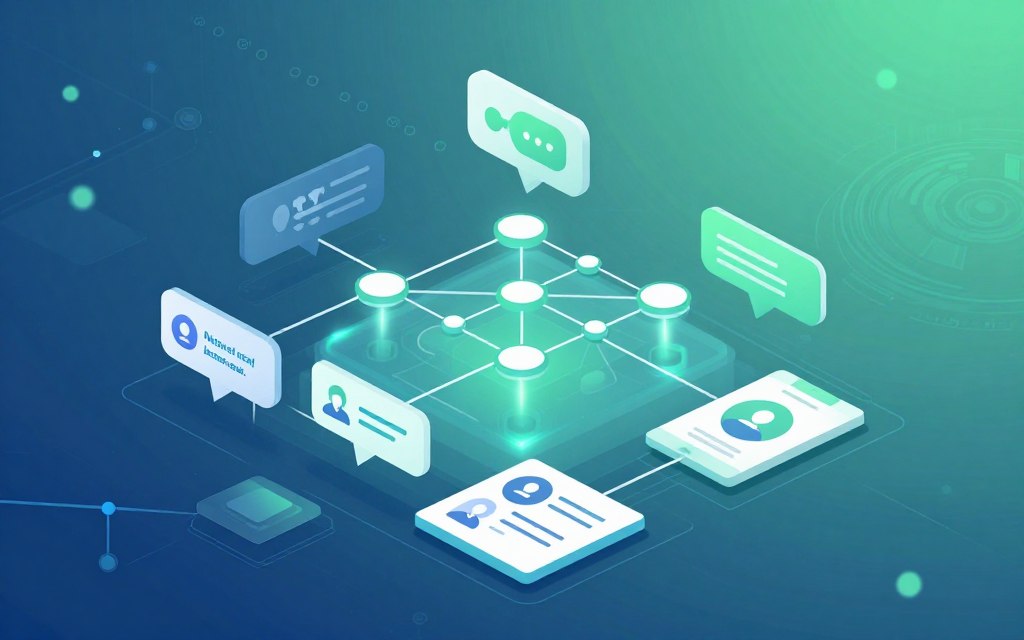
To understand how chatbots work, we need to look beyond the surface. A good chatbot architecture is made up of different layers, each with its own role. These layers show the complexity behind simple chatbot responses and the chance for more intelligent talks.
The User Interface Layer
This layer is where users first meet the chatbot. It’s designed to make it easy for people to start talking. The design of this layer is key for making the chatbot easy to use.
Messaging Platforms and Voice Interfaces
Chatbots now meet users where they already spend time. They can be found on:
- Website Widgets: Chat windows on company websites.
- Messaging Apps: Places like Facebook Messenger, WhatsApp, or Telegram.
- Business Collaboration Tools: Integrated into tools like Microsoft Teams or Slack.
- Voice Assistants: Such as Amazon Alexa or Google Assistant, turning speech into text.
The choice of platform affects how users experience the chatbot and its design.
The Natural Language Understanding (NLU) Engine
The NLU engine is the brain of the chatbot. It makes sense of what users say. It does several important things:
- Intent Classification: Figures out what the user really wants (e.g., “book a flight,” “check balance”).
- Entity Recognition: Finds important details in what the user says (e.g., dates, locations).
- Contextual Analysis: Understands words based on the conversation so far.
Whether it uses complex AI or simple rules, the NLU engine’s accuracy is key for the chatbot’s success.
The Dialogue Management Core
The dialogue manager decides what happens next in the conversation. It uses what the NLU engine found out to plan the chatbot’s next move.
For simple systems, this means following a set of rules. For AI chatbots, it’s about learning and adapting. This manager keeps the conversation flowing smoothly, remembering what was said before and handling any mistakes or questions.
The Backend Integration System
The chatbot’s power is limited if it can’t act on what it learns. The backend integration system connects the chatbot to the world of data and services. This is where the chatbot becomes a useful tool, not just a talker.
APIs, Databases and Webhooks
This layer uses different tools to get data and do things:
- APIs (Application Programming Interfaces): Let the chatbot safely ask for information from other software.
- Databases: Allow the bot to look up information it has itself.
- Webhooks: Send messages to other systems, like creating a ticket in a CRM or processing an order.
This connection to important business systems makes the chatbot a valuable asset for customer service, sales, and more. The strength of this connection often shows how useful the chatbot is.
Natural Language Processing: From Input to Understanding
To turn human speech into data, chatbots use natural language processing (NLP). This field helps machines understand our words. It goes beyond simple matching, dealing with language’s complexity.
The journey from a user’s query to a machine’s understanding involves several stages. Each stage breaks down the language to understand the user’s request better.
Tokenisation and Part-of-Speech Tagging
The first step is to break down the input. Tokenisation splits a sentence into smaller units called tokens. These are words, sub-words, or punctuation marks.
After tokenisation, part-of-speech (POS) tagging labels each token. Is it a noun, verb, adjective, or preposition? This helps the system grasp the sentence’s structure.
- Example: For “Book a flight to London tomorrow,” tokens are [“Book”, “a”, “flight”, “to”, “London”, “tomorrow”]. POS tags might identify “Book” as a verb, “flight” as a noun, and “London” as a proper noun.
- This foundational analysis is key for all language processing tasks.
Named Entity Recognition (NER)
Once the structure is known, the system identifies specific objects in the text. Named Entity Recognition (NER) finds and classifies proper nouns and key numeric data.
NER extracts entities like person names, organisations, locations, dates, times, and money. It turns vague references into concrete data points a system can act upon.
In our example, a proficient NER system would spot “London” as a location (GPE) and “tomorrow” as a date/time entity. This info is vital for fulfilling the user’s intent.
Intent Classification and Sentiment Analysis
Determining what the user wants is critical. Intent classification identifies the user’s goal or action. Is it a request, question, command, or complaint?
Simultaneously, sentiment analysis checks the emotional tone or opinion. This helps tailor the response’s tone, important in customer service.
- Intent: In “Book a flight to London tomorrow,” the classified intent is likely “book_flight.”
- Sentiment: The sentence is neutral, but “I’m furious my flight was cancelled!” would carry negative sentiment, prompting a different handling strategy.
Together, these processes reveal the why and how behind what is said.
The Role of Transformer Models like BERT and GPT
Transformer-based models have changed natural language processing. Models like BERT and GPT use self-attention to understand context deeply.
Unlike older models, transformers look at all words in a sentence at once. This lets them grasp nuance, resolve ambiguity, and understand words based on context.
For chatbots, this means better handling complex queries and colloquial language. A transformer model can link “it” in a follow-up sentence to “the flight” mentioned earlier, keeping a coherent dialogue.
These advanced models are key to natural language processing, enabling the most conversational AI assistants.
Natural Language Generation: Creating Coherent Responses
Natural Language Generation is the creative part of chatbots. It turns data and recognised intents into clear, contextual language. This is how chatbots have a conversation with us.
Good natural language generation makes chatbots helpful, not annoying. It makes our chats feel natural, not forced.
Templated Responses vs. Dynamic Generation
Chatbots use two main ways to answer questions. The choice affects how well they work and how complex they are.
Templated responses are set texts that match certain questions. For example, “What are your opening hours?” always gets “We are open from 9 AM to 5 PM, Monday to Friday.” It’s reliable but can’t handle new questions well.
Dynamic generation uses AI to create answers on the spot. It can handle many different questions and give more detailed answers. But, it needs a lot of training data and is more complex.
| Aspect | Templated Responses | Dynamic Generation |
|---|---|---|
| Approach | Pre-defined text blocks | AI-generated text in real-time |
| Flexibility | Low; only handles predefined scenarios | High; adapts to novel inputs and contexts |
| Ideal Use Case | Simple FAQ bots, structured processes (e.g., password reset) | Customer service assistants, creative writing aids, complex Q&A |
| Development & Maintenance | Lower complexity, but scales poorly | Higher initial complexity, but scales efficiently |
| Personalisation | Limited to variable insertion (e.g., “Hello, [Name]”) | Can deeply tailor tone, content, and style based on user data |
Sequence-to-Sequence Models
For creating answers on the fly, sequence-to-sequence (Seq2Seq) models are key. They take a user’s question and turn it into a chatbot’s response.
The model has two parts: an encoder and a decoder. The encoder breaks down the question into a summary. The decoder then uses this summary to create the response, word by word.
Using RNNs and LSTMs for Text Generation
Seq2Seq models often use Recurrent Neural Networks (RNNs) and Long Short-Term Memory (LSTM) networks. These are good for handling text sequences.
RNNs remember previous words to help with the next one. But, they struggle with long sequences. LSTMs are better at remembering important details over longer texts. This makes them great for keeping conversations flowing smoothly.
Ensuring Relevance and Personalisation
Creating correct text is just the start. The real challenge is making sure the answer fits the conversation and user.
Advanced systems keep track of the conversation. They remember the topic, user preferences, and the conversation history. This stops the chatbot from giving wrong or confusing answers.
Personalisation makes things even better by using user data. For example, a shopping assistant might remember a customer’s previous orders. It can also adjust the tone based on how the user feels.
The aim of natural language generation today is to create answers that are not just right, but also fitting, engaging, and personal. This makes the chatbot feel more like a real person.
Rule-Based vs. AI-Powered Chatbots: A Comparative Analysis
Chatbot technology has two main types: rule-based and AI-powered. Choosing the right one is key for any business wanting to automate customer service. This analysis will help you understand their differences and decide which is best for you.
Rule-Based Chatbots: Structure and Limitations
Rule-based chatbots, also known as decision-tree or scripted bots, follow a set of rules. They use if-then logic to respond to user inputs. These bots work well when questions are simple and answers are the same.
They are good at being consistent and controlled. Every path is mapped, so the bot’s actions are always the same. This makes sure the brand’s message is always the same. They are easy to make and less expensive, making them a good start for basic customer service automation.
Decision Trees and Predefined Pathways
Think of a flowchart. The chatbot’s conversation is like a series of branches. User choices lead to specific responses. If a user asks something not in the script, the bot will struggle to respond.
The big problem is they can’t adapt. They don’t get nuances, learn from new interactions, or understand synonyms. Keeping them up-to-date means manually changing the rules for every new question or product.
AI-Powered Chatbots: Flexibility and Learning
An AI chatbot uses natural language processing (NLP) and machine learning (ML) to understand what users mean. It can have real conversations, not just match keywords.
The main advantage is they can adapt. They can handle unexpected questions, understand feelings, and give personal answers. They get better with time, learning from lots of conversations.
Statistical Models and Probabilistic Outcomes
Advanced AI chatbot systems rely on statistical models. For example, if a user says, “My order hasn’t arrived,” the model guesses the intent. It might think the user wants to track their delivery or complain about it.
This way, the bot can deal with unclear messages. It might ask for more information or check databases to give a good answer. It’s not just about finding a fixed text to send back.
| Feature | Rule-Based Chatbot | AI-Powered Chatbot |
|---|---|---|
| Core Technology | Decision trees, keyword matching, fixed rules | NLP, Machine Learning, statistical models |
| Flexibility | Low. Cannot handle unscripted queries. | High. Understands natural language and variation. |
| Learning Ability | None. Requires manual updates. | Continuous. Improves from interaction data. |
| Handling Complexity | Simple, linear FAQs and tasks. | Complex, multi-turn dialogues and problem-solving. |
| Implementation Effort | Lower initial development cost and time. | Higher initial investment in data, training, and integration. |
| Maintenance | Manual, ongoing rule maintenance. | More automated, but requires monitoring for model drift. |
| Best For | Standardised processes, lead qualification, basic info retrieval. | Personalised support, complex troubleshooting, dynamic sales. |
Choosing the Right Type for Your Needs
Choosing depends on your goals, resources, and how complex your needs are. First, do a thorough needs assessment for any customer service automation project.
Go for a rule-based system if your needs are simple. It’s great for FAQs, basic lead info, or step-by-step processes like password resets. It’s cost-effective for tasks with few variables.
Choose an AI chatbot for understanding, personalisation, and scale. It’s good for diverse customer complaints, detailed product advice, or complex technical support. AI can link with CRM or ERP systems for tailored service.
Many businesses use a mix of both. A rule-based bot can handle simple queries, while AI handles more complex ones. This ensures a smooth experience for users.
Machine Learning and Training Chatbots
Machine learning makes chatbots smarter by learning from every chat. This technology helps them grow from simple answers to smart talks. They get better with time.
They learn by looking at lots of data. This lets them spot patterns, understand what users mean, and answer correctly. How good a chatbot is depends on how well it’s trained.

Supervised Learning with Labelled Datasets
Supervised learning is key for training chatbots. It uses a big set of examples with the right answers. This helps the chatbot learn from these examples.
For example, saying “I need to reset my password” is tagged as “password_reset”. The chatbot uses these examples to learn. It gets better at understanding new questions over time.
Unsupervised and Reinforcement Learning Approaches
There are other ways to train chatbots too. Unsupervised learning looks at unlabelled data to find patterns. It can even discover new things users might say.
Reinforcement learning is different. It treats the chatbot as an agent that gets rewards for good answers. This way, it learns to improve its answers over time.
The Training Pipeline: Data Collection to Model Deployment
Creating a good chatbot needs a clear process. It starts with collecting and cleaning data. This data often comes from past customer service chats.
Then, people label this data to show what the chatbot should understand. Next, the chatbot is trained using this data. After that, it’s tested to make sure it works right before it’s used by real people.
Utilising Datasets like MultiWOZ and Persona-Chat
Using standard datasets can help speed up chatbot development. MultiWOZ is great for teaching chatbots to handle tasks like booking hotels. It has lots of examples.
Persona-Chat helps make chatbots more friendly and personal. It has conversations that show off different personalities. These datasets give chatbots a good start with lots of examples.
Continuous Learning and Model Optimisation
Training doesn’t stop once a chatbot is live. It can keep learning from real chats. This lets it get even better over time.
By using what it learns from real chats, the chatbot can get smarter. It can understand new ways of asking things. This way, it keeps getting better without needing to start over.
Dialogue Management and Context Handling
Understanding a single query is hard, but the real challenge is managing a whole conversation. This is done by the dialogue management system. It decides what to remember, what to ask next, and how to respond based on the whole conversation history.
Context handling is key, allowing chatbots to remember past talks. This helps them complete complex tasks for users.
Maintaining Conversation State
The core of dialogue management is keeping track of the conversation state. It’s like a dynamic file for each user session. It stores important information, like what the user wants.
For example, a pizza ordering bot remembers the size, toppings, and delivery address. This memory stops the bot from asking the same questions again.
Managing Multi-Turn Dialogues
Handling multi-turn dialogues is complex. Users often refer back to earlier parts of the conversation. Effective dialogue management uses techniques like coreference resolution to handle pronouns and unclear references.
For instance, in a conversation about red dresses, the system must understand “those” refers to “red dresses with long sleeves.” This is vital for natural conversation.
Handling User Corrections and Clarifications
A good system handles mistakes well, both its own and the user’s. It uses advanced rejection handling and clarification strategies. If a user corrects a mistake—”No, I meant London, Ontario, not London, UK”—the system updates the right slot without starting over.
If user input is unclear, the system might ask for clarification—”Did you want to check your account balance or your recent transactions?” This keeps the conversation flowing smoothly, making the experience more like talking to a person.
Implementation: Integration, Deployment and Real-World Use Cases
The real power of conversational AI is seen when it’s used in real-world settings. This stage, known as chatbot implementation, turns code into something that works with users and systems. It involves planning for deployment, integration, and measuring results.
Putting a chatbot into action is a big step. It needs to be where people already talk and have access to the right info.
Common Deployment Platforms and Channels
Where you place your chatbot affects how people use it. Choosing the right platform is key. Many chatbots work across different places to reach more users.
Website Widgets, Facebook Messenger, and Slack
Adding a chat widget to your site or app helps right away. It’s great for getting leads and answering questions. For talking to people outside your site, Facebook Messenger and WhatsApp are good choices.
Inside companies, Slack and Microsoft Teams are important for chatbots. They help with tasks like IT requests and scheduling meetings.
Other places for chatbots include SMS, smart speakers, and IVR systems. The goal is to meet users where they are most comfortable.
Integration with Business Systems (CRM, ERP)
Connecting a chatbot to systems like CRM or ERP makes it more useful. Without this link, it’s just a talking tool. With it, it can do real work.
This connection lets the bot use customer data for better chats. For example, it can check account balances or update tickets. This makes the chatbot a real help in business.
Prominent Use Cases Across Industries
Chatbots are useful in many areas. Each one solves a problem in its field, from helping customers to starting new services.
Customer Service, E-commerce, and Healthcare
In customer service, chatbots help 24/7. They answer simple questions and help with more complex ones. This saves money and makes customers happier.
E-commerce chatbots help with shopping. They suggest products, track orders, and help with returns. This boosts sales and keeps customers engaged.
In healthcare, chatbots help with patient care. They check symptoms, remind patients about meds, and schedule appointments. This makes health info easier to get and helps with paperwork.
Chatbots also help in HR, marketing, and finance. They assist with onboarding, lead qualification, and checking account balances. They even help with fraud alerts.
Analysing Performance and Metrics
Having a chatbot is just the start. You need to keep improving it. This means tracking important numbers to see how well it’s doing.
Look at how well the chatbot solves problems and makes users happy. Just counting conversations isn’t enough. You need to see if it’s really helping.
| Metric | Description | Primary Goal |
|---|---|---|
| Resolution Rate | The percentage of conversations where the user’s intent was fully satisfied without human transfer. | Maximise |
| User Satisfaction (CSAT) | Score from post-conversation surveys asking “How would you rate your experience?”. | Increase |
| Containment Rate | The proportion of conversations handled entirely by the chatbot, deflecting agent workload. | Maximise |
| Average Handling Time | The mean duration from user’s first message to conversation closure. | Optimise (not always minimise) |
| Fallback Rate | How often the bot fails to understand and triggers a default “I didn’t get that” response. | Minimise |
By regularly checking these numbers, you can make your chatbot better. This includes training it with new data and making it work better with other systems. It also helps spot and fix any problems.
So, using a chatbot is a cycle: deploy, integrate, measure, and improve. This way, it becomes a valuable part of your business.
Conclusion
The move from simple chatbots to smart agents is a big change in how we talk online. Today’s chatbots mix advanced tech to really get what we say and talk back.
They use natural language processing and machine learning. This lets them go beyond simple rules to truly understand us. The tech behind this, like NLU engines and dialogue managers, is key to good chatbots.
This change opens up big chances for businesses. Chatbots change how companies talk to customers and help staff. They offer services that were once thought impossible.
To make the most of this, businesses need a good plan. Choosing the right chatbot, fitting it with current systems, and keeping it sharp are all important. Using data to improve is key.
The future of chatbots looks bright, with even better interactions ahead. As they learn and get better, they’ll play a bigger part in our digital world. Knowing how they work is the first step to using their full power.


 By
By