
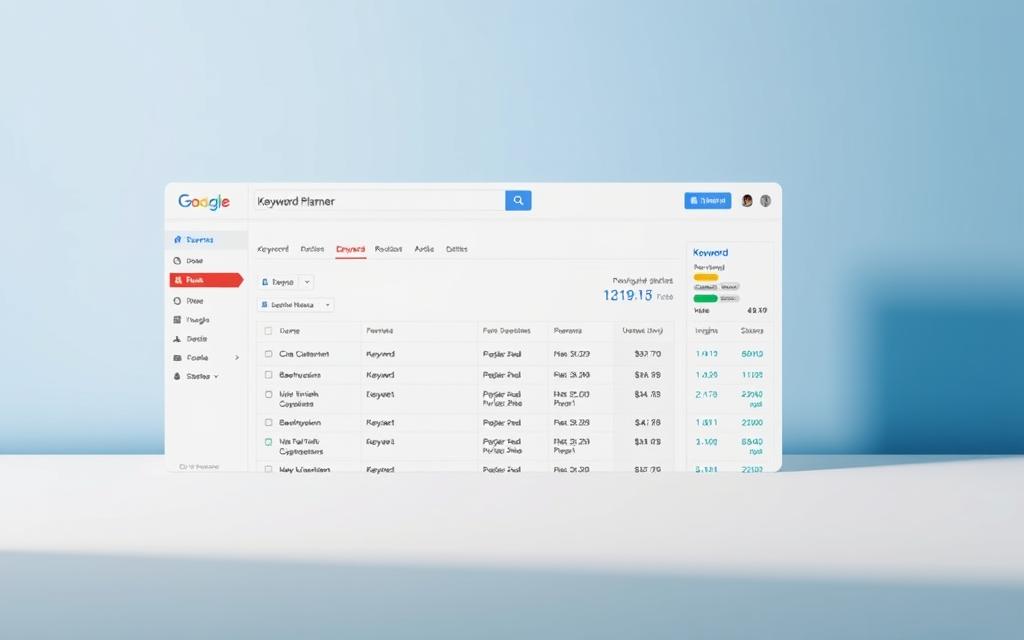

In today’s competitive digital landscape, Google Keyword Planner stands as an indispensable tool for advertisers seeking to optimise their search campaigns. This free platform within Google Ads provides marketers with precise insights to build targeted keyword lists, forecast performance, and allocate budgets effectively. Whether you’re launching a new campaign or refining an existing strategy, understanding this tool’s capabilities could transform your approach to online advertising.
The keyword planner excels at uncovering high-potential search terms through its intuitive generator, revealing opportunities competitors might overlook. Advertisers gain access to critical metrics like estimated bid ranges and monthly search volumes, enabling data-driven decisions that maximise return on investment. Its integration with Google Ads ensures seamless campaign setup, from ad group organisation to budget recommendations.
This guide will walk you through the tool’s core functions – from initial research phases to advanced trend analysis. You’ll discover how to identify cost-effective keywords that resonate with UK audiences while avoiding budget-draining missteps. We’ll also explore how the platform’s forecasting features help advertisers anticipate market shifts and adjust strategies proactively.
That broader commercial context becomes clearer when you look at ann in deep learning basics and how teams apply AI in day-to-day operations.
By mastering these tools, businesses can craft campaigns that not only reach their target demographic but convert interest into measurable results. The following sections provide actionable steps to harness the full potential of Google’s keyword research ecosystem, ensuring your advertising efforts deliver maximum impact.
Introduction to Keyword Research
Mastering keyword research transforms how businesses connect with potential customers. Unlike generic marketing efforts, this process pinpoints exactly what your audience searches for online. Let’s explore why it’s the backbone of high-performing search campaigns.
The Importance of Effective Keyword Research
Quality-focused keyword selection drives better results than chasing high search volumes. Businesses that prioritise relevance over quantity often see higher click-through rates and lower cost-per-click. For instance, a London-based bakery might target “artisan sourdough delivery” rather than generic “bread shop” terms.
Strategic research reveals regional language preferences and local search habits. UK advertisers can tailor ads to phrases like “holiday cottages in Cornwall” or “Manchester city centre gyms”. This geographic precision ensures budgets aren’t wasted on irrelevant audiences.
Analysing competitor keyword costs helps identify underserved niches. If rivals bid heavily on “premium smartphones”, you might focus on “affordable refurbished phones” instead. This approach maximises visibility while controlling spend.
Proper keyword alignment also boosts ad quality scores. Google rewards campaigns that match user intent, leading to better placements and lower costs. Regularly refining your keyword list keeps campaigns agile as market trends evolve.
Setting Up Your Google Ads Account
Launching successful Google Ads campaigns begins with proper account configuration. Before accessing Keyword Planner, you must finalise your Google Ads account setup through three critical steps: billing details verification, campaign creation, and mode selection.

Completing Your Account Setup
Start by entering valid payment information – Google requires this even for free tools like Keyword Planner. Once your ads account billing is active, create a draft campaign (you can pause it later). This unlocks Keyword Planner’s full functionality without immediate spending.
Switching from Smart Mode to Expert Mode
Smart Mode simplifies processes but restricts advanced features. To enable professional planning tools:
- Click the gear icon in your Google Ads dashboard
- Select “Account settings”
- Choose “Expert Mode” under “Account type”
| Feature | Smart Mode | Expert Mode |
|---|---|---|
| Interface Complexity | Basic | Advanced |
| Control Level | Limited | Full |
| Access to Tools | Essential Features | All Features |
This transition grants granular control over bids, audiences, and keyword lists. UK advertisers particularly benefit from enhanced location targeting options in Expert Mode, crucial for regional campaigns.
Navigating the Keyword Planner Tool
Efficient campaign planning starts with mastering Google Ads’ navigation pathways. The platform’s tools menu houses critical resources, but newcomers often overlook its strategic organisation. Let’s demystify accessing your primary research instrument.
Accessing the Planning Section
Locate the wrench icon in your dashboard’s upper-right corner – this opens the tools menu. Select “Planning” from the section menu, then click “Keyword Planner”. This three-step process remains consistent across desktop and mobile interfaces.
Why is this structure important? Google groups related features under logical headings. The planning tools cluster supports strategy development, while other sections handle execution or analysis. Understanding this hierarchy saves time during busy campaign cycles.
UK advertisers should note regional interface variations. Some accounts display “Keyword Planner” directly under “Planning”, while others nest it within subsections. Look for the magnifying-glass icon – it signals keyword research capabilities.
Once accessed, bookmark the page or pin it to your browser toolbar. Regular users appreciate this shortcut when updating seasonal campaigns or checking search volume trends. Familiarity with these navigation details transforms occasional users into confident strategists.
Discovering New Keywords
Unearthing high-value search terms forms the bedrock of impactful Google Ads strategies. The Discover new keywords feature acts as your digital prospector, revealing hidden opportunities that align with user intent and business goals.

Utilising the Discover New Keywords Feature
Access this tool through your Google Ads account’s wrench icon > Planning > Keyword Planner. Two primary methods yield results:
- Seed keyword entry: Begin with core terms like “vegan skincare UK” to generate related phrases
- Website analysis: Input your domain to extract terms from existing content
A Bristol bakery might combine both approaches. Entering “artisan sourdough” while analysing their recipe blog could surface niche terms like “rye bread delivery Bristol” – phrases competitors might miss.
Analysing the Suggested Keyword Ideas
Prioritise suggestions using three filters:
- Relevance to your offerings
- Local search volume patterns
- Competition levels in your region
Low-competition ideas with steady monthly searches often deliver better ROI than popular terms. For UK campaigns, focus on location-specific modifiers – “Edinburgh student accommodation” typically outperforms generic “student flats”.
Regularly update your discovery parameters to reflect seasonal trends and market shifts. This dynamic approach ensures your campaigns remain aligned with evolving consumer search behaviour.
Researching Keyword Trends and Forecasts
Navigating market uncertainties requires precise predictions. Google Keyword Planner’s forecasting tools transform raw data into actionable strategies, helping advertisers stay ahead of search behaviour shifts.
Understanding Performance Forecasts
The tool’s daily refreshed forecasts analyse the latest 7-10 days’ data, adjusting for seasonal patterns. This means your plan forecast reflects real-time market conditions – crucial during UK holiday rushes or economic dips.
Advertisers see projected conversions and clicks based on spend levels. For example, a £500 weekly budget for “London boutique hotels” might yield 120 clicks versus 80 at £300. These metrics help balance ambition with realism.
Evaluating Seasonal Market Adjustments
Google’s algorithms automatically weight searches for seasonal trends. Retailers targeting Christmas shoppers see adjusted forecasts from November, while travel agencies get summer holiday insights by April.
During unstable markets, weekly planning outperforms monthly cycles. A Manchester gym might adjust bids for “New Year memberships” weekly in December, capturing intent shifts as resolutions near.
Remember: Forecast accuracy depends on your historical data quality. Regularly update keywords based on performance to keep predictions sharp. This proactive approach turns seasonal challenges into growth opportunities.
Creating a Keyword Plan for Effective Campaigns
Structuring your advertising efforts begins with a well-organised keyword plan. Google Keyword Planner offers dual pathways to build this foundation: manual entry for precision or bulk uploads for scale. Choosing the right method depends on your campaign’s complexity and existing research assets.

Manually Adding Keywords to Your Plan
Use manual entry when refining niche terms or testing new phrases. Start by clicking “Discover new keywords” in the tool. Enter core terms like “Leeds yoga classes” to generate location-specific variations. Prioritise phrases with:
- Clear relevance to local offerings
- Moderate competition scores
- Consistent monthly search patterns
This hands-on approach helps UK advertisers maintain tight control over regional targeting. For example, adding “affordable student storage Manchester” directly ensures alignment with specific audience needs.
Uploading and Organising Keyword Lists
Larger campaigns benefit from CSV uploads via “Get search volume and forecasts”. Prepare your file with:
- One keyword per line
- Match type specifications
- Optional ad group assignments
Retailers uploading seasonal terms like “Christmas hampers UK” can attach location filters and bid adjustments during import. This method preserves existing campaign structures while adding new terms efficiently.
| Method | Process | Best For | Features |
|---|---|---|---|
| Manual Entry | Direct input via planner interface | Small lists & regional targeting | Instant volume estimates |
| CSV Upload | Bulk import with campaign data | Large-scale campaigns | Historical performance integration |
Both methods allow campaigns to incorporate match types and location parameters during planning. Regularly update your keyword plan to reflect performance data, ensuring ongoing alignment with market trends.
Understanding Google Keyword Planner Metrics
Decoding Google Keyword Planner’s metrics transforms raw data into strategic gold. These insights reveal which terms deliver value and which drain budgets – critical knowledge for UK advertisers balancing tight margins.
Interpreting Suggested Bid and Competition Data
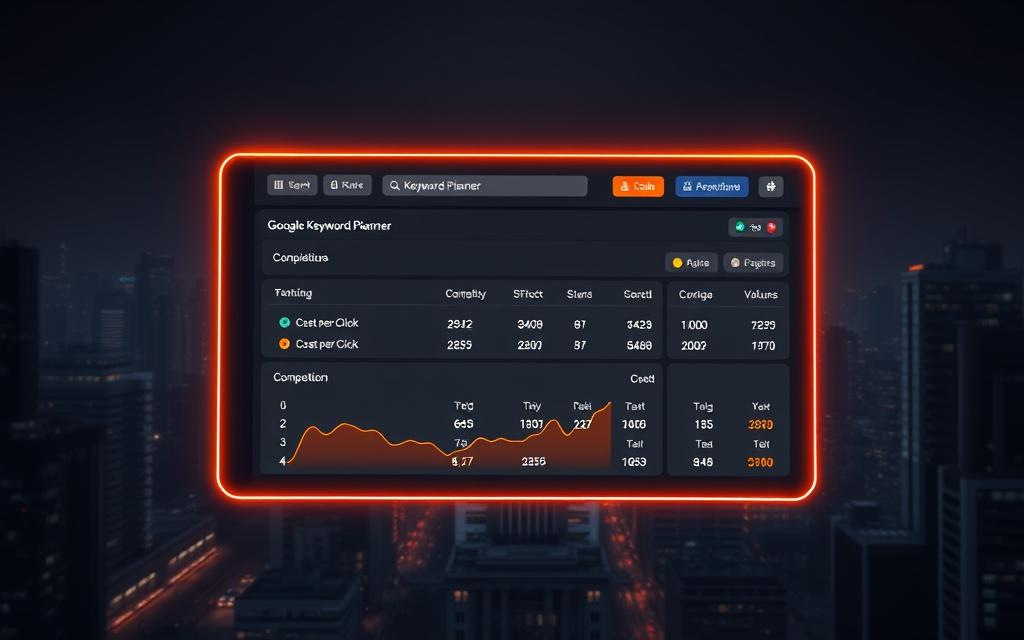
Suggested bids reflect average costs to appear on search results pages. The £1.72 estimate for “clothing store” terms shows what rivals pay in your market. High competition levels often push bids above £3, while moderate ranges (£1-£2) indicate growth potential.
Consider these UK-specific patterns:
| Competition Level | Bid Range | Strategy |
|---|---|---|
| Low | £0.50-£1.20 | Aggressive expansion |
| Medium | £1.21-£2.50 | Selective targeting |
| High | £2.51+ | Niche alternatives |
Monitoring Monthly Search Volumes
Search volume trends expose seasonal opportunities. “Winter coats UK” might spike in October, while “garden furniture” peaks in March. Balance high-volume terms with precise phrases like “waterproof hiking boots Scotland” for better conversions.
Google’s Ads support documentation recommends reviewing these metrics weekly. Adjust bids during key shopping periods like Black Friday, when competition surges 40% in retail sectors.
Smart advertisers combine search volume with conversion data. A keyword with 1,000 monthly searches and 5% conversion rate often outperforms one with 5,000 searches at 1%. This approach maximises ROI while keeping campaigns focused.
Implementing Keyword Strategies in Ad Campaigns
Turning keyword insights into high-performing ads demands precise execution. Your research phase sets the stage, but strategic implementation determines campaign success. Let’s explore how to bridge planning and action while addressing UK-specific requirements.

Integrating Keywords in Search Campaigns
Launch your strategy by converting keyword plans into active search campaigns. Use Google Ads’ “Apply to Campaign” feature to maintain your organised ad group structure. This preserves match type settings and bid adjustments made during planning.
Monitor forecasts through Keyword Planner’s “View Forecast” option. Adjust bids weekly using these predictions – particularly for seasonal products services like summer festival tickets or winter heating solutions. Real-time data keeps campaigns responsive to market shifts.
Tailoring Strategies for the UK Market
British searchers favour localised phrasing and regional specifics. Consider these adjustments:
| Standard Term | UK-Optimised Version |
|---|---|
| “Smartphone deals” | “Cheap mobile phones UK” |
| “Trainers sale” | “Discount trainers London” |
Enable location targeting at campaign creation, specifying cities or counties rather than nationwide coverage. For language settings, select “English (UK)” to capture spelling variations like “colour” versus “color”.
Cultural timing matters too. Schedule bids higher during UK shopping hours (10am-7pm) and adjust for bank holidays. These tweaks help campaigns resonate with local search habits while maximising budget efficiency.
Optimising Campaign Performance with Keyword Insights
Sharpening your Google Ads strategy requires continuous refinement of search terms. Regular analysis of performance data helps identify underperforming phrases while doubling down on high-converting opportunities. This ongoing process ensures campaigns evolve with shifting consumer behaviours and market trends.
Refining Keywords Using Advanced Filters
Google Keyword Planner’s filtering tools let advertisers focus on metrics that matter. Prioritise terms with stable search volumes and manageable competition levels. For UK campaigns, apply geo-specific modifiers like “Birmingham” or “Liverpool” to exclude irrelevant regional traffic.
Combine negative keywords with performance thresholds to automatically prune wasteful spend. Setting a £1.50 maximum bid for “cheap trainers UK” terms, while blocking “used” or “second-hand”, maintains budget efficiency. These adjustments help maintain focus on high-value audiences.
Advanced users should explore time-based filters to capitalise on seasonal spikes. A Cornwall B&B might boost bids for “coastal walks” during peak tourist months while reducing winter spend. This dynamic approach maximises visibility when conversion chances peak.
By systematically applying these performance levers, advertisers transform raw keyword lists into precision-targeted tools. The result? Campaigns that consistently deliver measurable returns while adapting to the UK’s fast-paced digital landscape.
FAQ
How do I complete my Google Ads account setup?
Begin by signing into your Google Ads account, filling in business details, and linking payment methods. Ensure you switch to Expert Mode for full access to tools like the Keyword Planner.
Why should I use the Keyword Planner for search campaigns?
The tool helps identify high-performing keywords, analyse competition, and forecast search volumes. This data optimises ad spend and aligns strategies with UK market trends.
Can I upload existing keyword lists to the Planner?
Yes. Use the “Upload” feature in the Planning section to import CSV files. The Planner will then organise terms and suggest related products or services.
How does the performance forecast work?
It predicts potential clicks, impressions, and costs based on historical data. Adjust bids or seasonal trends to refine forecasts for specific campaigns.
What metrics are critical in keyword research?
Focus on monthly search volumes, suggested bids, and competition levels. These metrics highlight opportunities to prioritise high-intent keywords within budget constraints.
How do I tailor strategies for the UK market?
Filter location settings to target UK users, incorporate localised terms, and analyse regional search trends using the Planner’s geographic reports.
Can I discover keywords for niche industries?
Absolutely. Enter seed terms related to your niche in the “Discover New Keywords” tool. The Planner will generate relevant ideas, including long-tail variations.
What are seasonal market adjustments?
These account for fluctuations in search demand during holidays or events. Use the Planner’s historical trends to schedule campaigns around peak periods.
How do advanced filters improve keyword refinement?
Filters exclude low-search terms, prioritise specific bid ranges, or highlight keywords with high commercial intent. This streamlines list management for better ROI.


 By
By